Tetrominoes
This section assumes you are very familiar with the concepts, terms and ideas for protograf as presented in the Basic Concepts , that you understand all of the Additional Concepts and that you’ve created some basic scripts of your own using the Core Shapes. You also be familiar with the various types of shape’s properties described in the Customised Shapes
Overview
Tetrominoes became well-known through the computer game “Tetris”, which originated in 1985. Tetrominoes are one type of Polyominoes and each one is composed of 4 squares in one of 5 unique patterns.
They can referred to by their shortcut letter property which has been
assigned to each of the 5 unique shapes, based on their similarity to letters
in the Roman alphabet.
Properties
Tetrominoes share all the properties of Polyominoes but, instead of a pattern they are defined using a letter.
A letter in uppercase format draws a Tetromino in such a way that it resembles that letter; whereas a lowercase letter draws the same basic shape but inverted from left to right.
Examples
The examples below shows how letters are used to create a Tetromino.
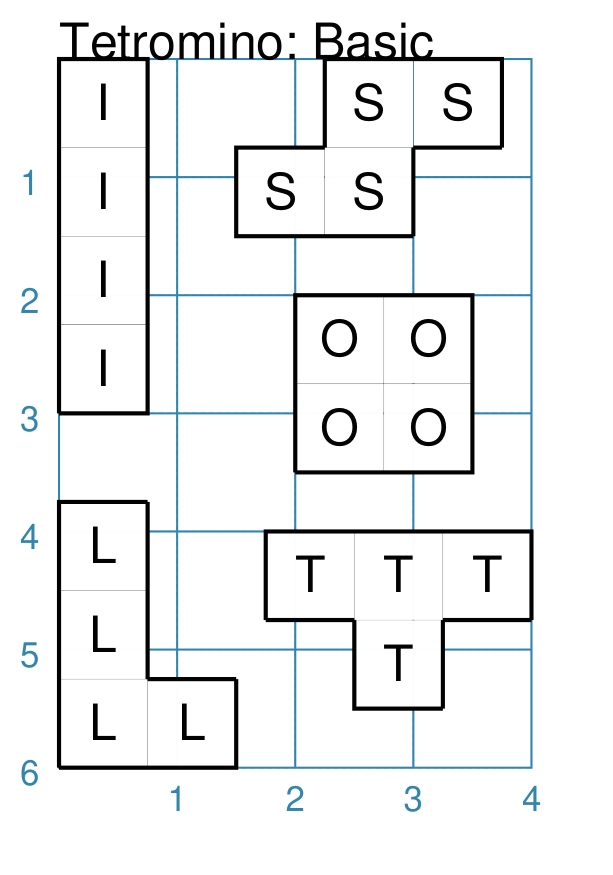
Tetromino: Uppercase Letter
|
This example shows Tetrominoes constructed using commands like: tbasics = Common(
side=0.75,
outline_stroke="black", outline_width=1)
Tetromino(
x=1.5, y=0,
letter="S",
label="S",
common=tbasics)
Each of the five shapes is constructed in the same way — setting the letter property to one of: I, S, L, O, or T. |
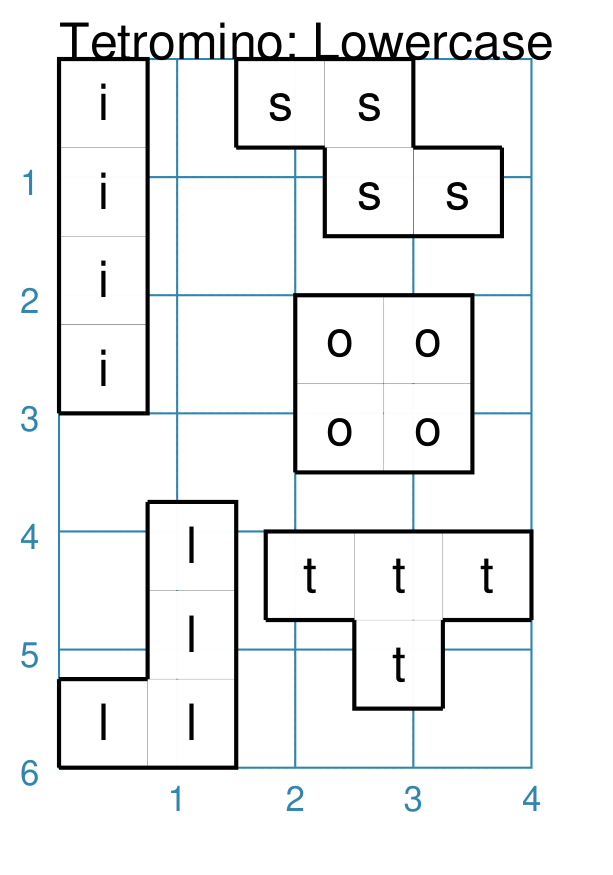
Tetromino: Lowercase Letter
|
This example shows Tetrominoes constructed using commands like: tbasics = Common(
side=0.75,
outline_stroke="black", outline_width=1)
Tetromino(
x=1.5, y=0,
letter="s",
label="s",
common=tbasics)
Each of the five shapes is constructed in the same way — setting the letter property to one of: i, s, l, o, or t. |
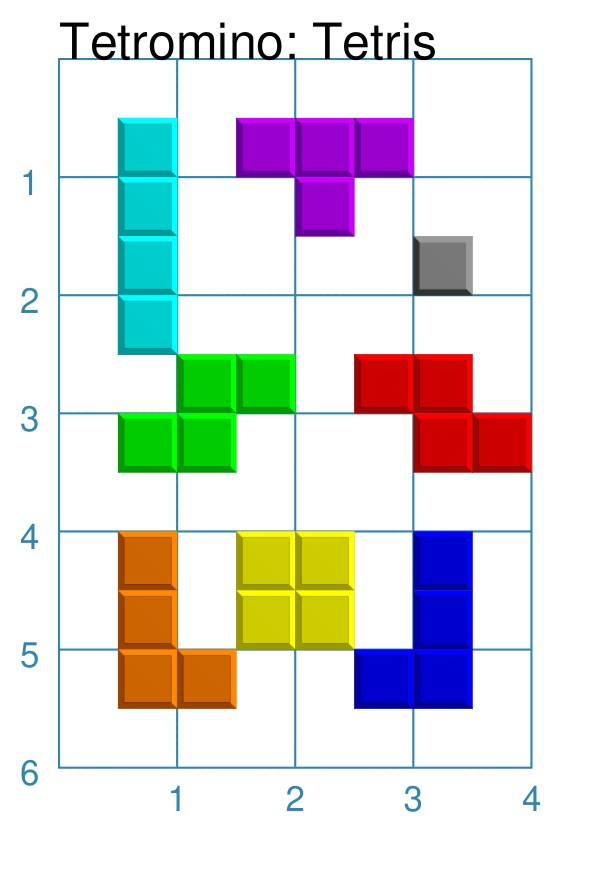
Tetromino: Tetris-styled
|
This example shows Tetrominoes constructed using commands like: Tetromino(
x=1.5, y=0,
side=0.5,
letter="I",
tetris=True)
Each of the five shapes is constructed in the same way — setting the letter property to one of: I, S, L, O, or T (or their lowercase equivalent). In addition, the The tetris property overrides the default color and stroke of the shapes and creates a style that mimics that used in the original Tetris computer game. |